
Push Button
IP67-rated tactile push button with ESD-protected UART ports for the PomeLabs Core Kit.
The PomeLabs Push Button Module (PML-PB-01) puts a single, deliberate, physical action at the center of your circuit. Press it and a clean momentary signal appears — IP67-sealed against dust and water, rated for cycles, and protected by two ESD-hardened UART ports so the rest of your kit stays connected while you interact.
Revision: v1.0 | Part Number: PML-PB-01 | Series: PomeLabs Core Kit
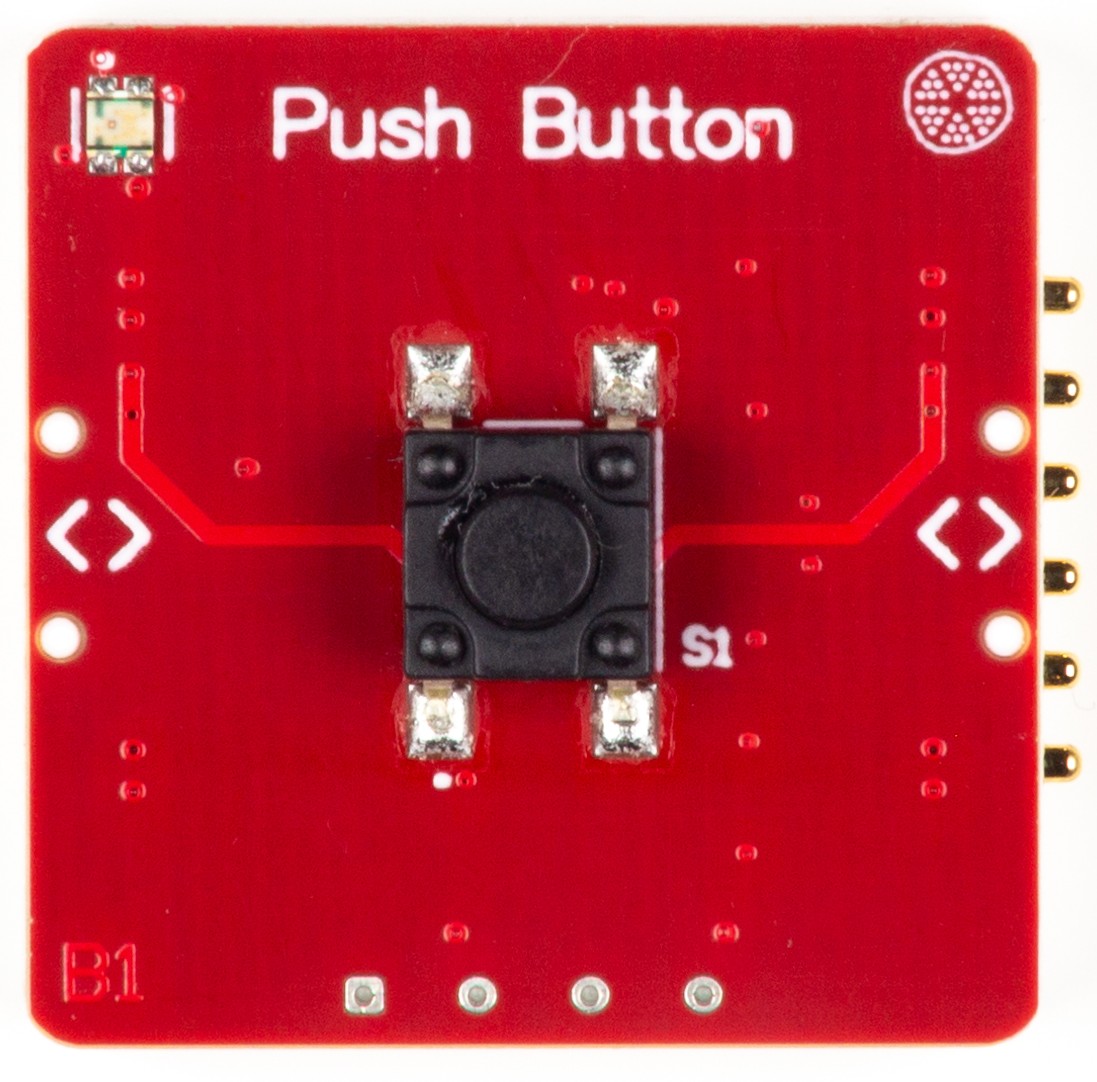
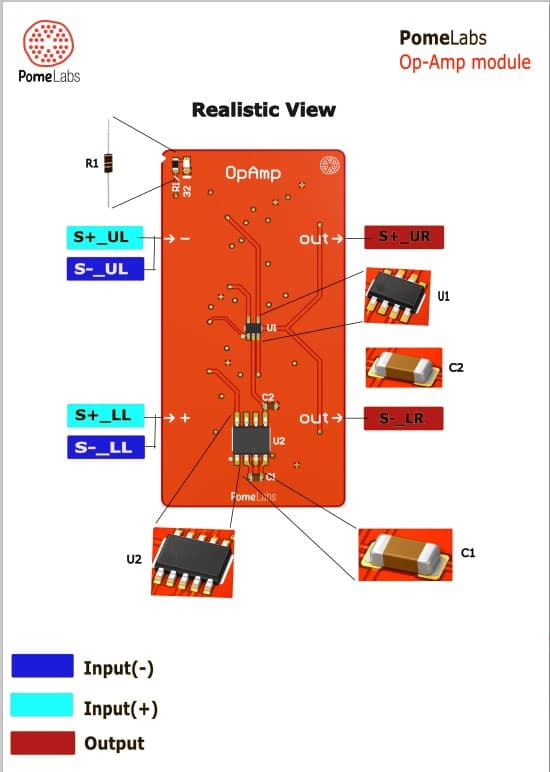
Pinout
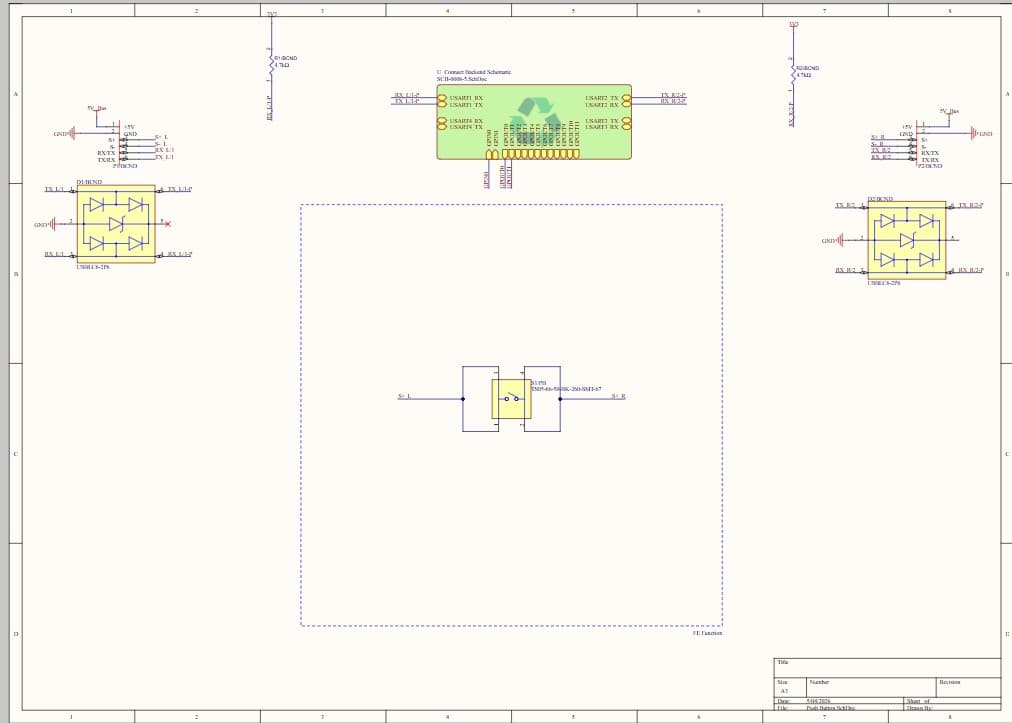
Schematic
Digital Twin
In the PomeLabs App, the PML-PB-01 is mirrored as a digital twin in both the Playground and inside any Connect Activity. The twin exposes the button state as a live monitor — press the physical button and the state change is streamed back to the App in real time. You can also simulate a press from the App to test downstream logic without touching the hardware.
Controls — parameters you can set from the App
Simulated button press · pin S1_A / S1_B · momentary toggle
Virtually closes the S1 contact from the App — useful for testing GPIO input handling and debounce logic without physical interaction.
UART TX — Left port · pin TX_L-1 · serial data source
Drives USART1 transmit line through D1 ESD protection to the Left node connector.
UART TX — Right port · pin TX_L-2 · serial data source
Drives USART3 transmit line through D2 ESD protection to the Right node connector.
Monitors — values streamed back from the module
Button state · pins S1_A / S1_B · digital indicator, OPEN / CLOSED
Reflects the live contact state of S1. OPEN at rest; CLOSED while button is held. Useful for observing debounce behavior and timing.
UART RX — Left / Right ports · pins RX_L-1, RX_L-2 · serial data traces
Inbound data from downstream nodes through D1 and D2 ESD protection back to the Backend MCU.
Datasheet
1. Overview
The PML-PB-01 centers on the TS05-66-50-BK-260-SMT-67 (Same Sky / CUI Devices) — a surface-mount tactile switch rated for mechanical cycles. It is SPST normally-open (NO) and momentary: terminals S1_A and S1_B are electrically open at rest and make contact only while the button is held down, returning to open on release.
The IP67 rating distinguishes this switch from standard tactile components — it is dust-tight and protected against temporary immersion, making it suitable for lab environments where liquid spills or particulate contamination are a real risk. The () operating force provides firm, unambiguous tactile feedback that eliminates accidental actuation during circuit handling.
Two USBLC6-2P6 ESD protection devices (D1, D2) protect the module's two UART communication ports with IEC Level compliance.
2. BOM Components
| Ref. | Type | Value / Part | Role on this module |
|---|---|---|---|
| S1 | Tactile switch | TS05-66-50-BK-260-SMT-67 (Same Sky) | SPST normally-open momentary push button. IP67 rated. Black actuator, height, () operating force, SMT body. S1_A and S1_B open at rest; contact made only while button is held. cycle mechanical life. Brass terminals (silver-plated); SUS contacts (silver-plated). |
| D1 | ESD protection IC | USBLC6-2P6 (ST) | IEC Level ESD clamp on Left UART port. Max . SOT-666. |
| D2 | ESD protection IC | USBLC6-2P6 (ST) | IEC Level ESD clamp on Right UART port. Identical to D1. |
| R1, R2 | Resistor | Pull-up resistors on UART TX/RX lines to . | |
| p1, p2 | Connector | Node headers | Left and Right node connectors exposing , GND, S+, S−, RX/TX, TX/RX to downstream modules. |
3. Electrical Specifications
Switch specifications from Same Sky TS05 series datasheet. ESD specifications from STMicroelectronics DS4260 (USBLC6-2P6).
3.1 TS05-66-50-BK-260-SMT-67
The TS05-66-50-BK-260-SMT-67 is a surface-mount tactile switch with a actuator height. The following specifications are derived from manufacturer datasheets and distributor technical data.
3.1.1 Absolute Maximum Ratings
Exceeding these ratings may cause permanent damage to the device.
| Parameter | Symbol | Value | Unit |
|---|---|---|---|
| Voltage Rating (across open contacts) | VDC | ||
| Current Rating (through closed contacts) | mA | ||
| Operating Temperature | to | °C | |
| Storage Temperature | to | °C | |
| Mechanical Life (cycles) | — | ||
| Electrical Life (cycles) | — |
3.1.2 Recommended Operating Conditions
Recommended conditions for reliable operation.
| Parameter | Symbol | Min | Typ | Max | Unit |
|---|---|---|---|---|---|
| Supply Voltage | — | VDC | |||
| Operating Current | — | mA | |||
| Operating Force | — | () | — | gf | |
| Switch Travel (Actuator stroke) | — | — | mm | ||
| Contact Resistance | — | — | m | ||
| Insulation Resistance () | — | — | M | ||
| Dielectric Strength ( minute) | — | — | VAC | ||
| Bounce Time (typical) | — | — | ms |
4. Pin Descriptions
All signal pins are referenced to GND.
| Pin / Net Name | Direction | Description |
|---|---|---|
| S1_A | Passive | Terminal A of switch S1. One side of the SPST momentary contact. Connect to signal source or pull-up/pull-down circuit. |
| S1_B | Passive | Terminal B of switch S1. Connected to the opposing rail (GND or signal destination). Electrically connected to S1_A only when button is pressed. |
| TX_L-1 / TX_L-2 | Input | UART transmit from Backend MCU (USART1/USART3). Through D1/D2 ESD protection to Left and Right node connectors. |
| RX_L-1 / RX_L-2 | Output | UART receive from Left and Right node connectors back to Backend MCU. Through D1/D2 ESD protection. |
| TX_P-1 / TX_P-2 | Output | ESD-protected transmit lines to node-side connectors. Post USBLC6-2P6 protection. |
| RX_P-1 / RX_P-2 | Input | ESD-protected receive lines from node connectors. Pre USBLC6-2P6 protection. |
| 5VBus | Power In | supply rail. Powers VBUS pins of D1 and D2. |
| 3V3 | Power In | logic rail for pull-up resistors R1–R2 (). |
| GND | Ground | Common ground reference for all components and connectors. |
6. Connection Guide & Common Errors
Correct wiring and power-up sequence:
- Connect GND first, shared across all modules on the common bus.
- Connect 5VBus to power USBLC6-2P6 VBUS pins on D1 and D2.
- Connect 3V3 for UART pull-up resistors R1 and R2.
- Connect S1_A to signal source (e.g. via pull-up to VCC). Connect S1_B to GND for active-low configuration.
- Configure Backend MCU GPIO as input with pull-up/pull-down to avoid floating input.
- Do not exceed or through the switch contacts.
Common wiring errors and consequences:
| Mistake | Symptom | Correction |
|---|---|---|
| Voltage on S1 terminals exceeds | Contact degradation or arcing; switch permanently damaged | Keep switched voltage . |
| Current through S1 exceeds | Contact welding or burning; switch fails open or stuck closed | Keep switched current . Add series resistor if load current may exceed this. |
| Switch input node left floating (no pull-up or pull-down) | Floating CMOS input on Backend MCU — undefined logic level | Always connect a pull-up or pull-down resistor on the GPIO reading S1. Typical . |
| USBLC6-2P6 VBUS pin unconnected on D1 or D2 | ESD clamp has no rail reference; protection ineffective | Connect VBUS of D1 and D2 to 5VBus supply rail. |
| More than reflow cycles applied to S1 | Switch housing or waterproof seal may be damaged; IP67 rating voided | Limit reflow soldering to a maximum of cycles per TS05 assembly specification. |
Hands-on Labs
Get started with the PML-PB-01 through guided labs that take you from first press to debounced interrupt-driven input. Each lab opens in the PomeLabs app.
Push Button Onboarding
Wire the button into a pull-up circuit, read the GPIO state on a Backend MCU, and verify the normally-open behavior. Recommended starting point.
Debounce Techniques
Observe contact bounce on an oscilloscope, then implement and compare hardware RC debounce and software timer debounce methods.
Interrupt-Driven Input
Configure a GPIO interrupt to trigger on button press and release, and measure the response latency from press to MCU handler execution.
ESD Protection Verification
Verify USBLC6-2P6 clamping behavior on both UART ports and confirm signal integrity is maintained under ESD stress.
Use Cases
Coming soon.
How is this guide?